
Join the PensionPulse beta.
The beta runs as closed groups on Apple TestFlight (iOS) and Google Play (Android). Install directly using the steps below — no invite needed.
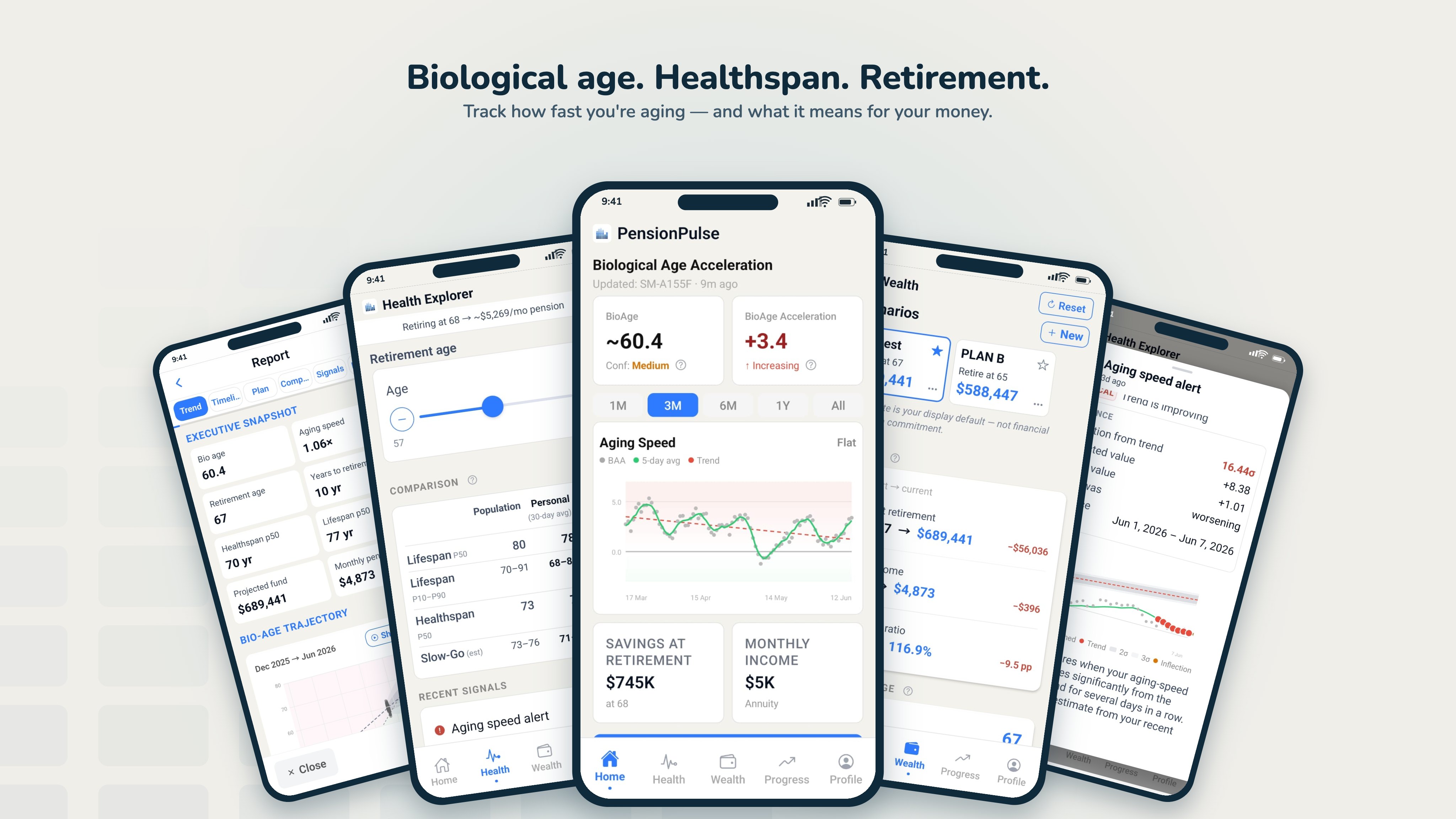
Download PensionPulse Beta.
Pick your platform and follow the steps. Installation takes a couple of minutes; updates afterwards are automatic.
Install on iPhone
- 1 Install Apple TestFlight from the App Store first, if you don't have it: https://apps.apple.com/app/testflight/id899247664. You'll get a confirmation code by email at your Apple ID address to enable early access.
- 2 Join the PensionPulse beta and download: https://testflight.apple.com/join/jYWTghgh
- 3 Open the app and complete onboarding — it asks consent for name, email, date of birth, gender, and step/activity history, all editable or deletable anytime from your profile.
Install on Android
- 1 Join the tester group: https://groups.google.com/g/pensionpulse-beta-tester/about. Sign in with the Google account you'll use on your phone, then tap "Join group" (top right). No approval needed — you're in instantly.
- 2 Connect to testing: https://play.google.com/apps/testing/com.pensionpulse.app. Tap "Become a tester" on that page.
- 3 Install PensionPulse from Google Play, and sign in with the same Google account. Complete onboarding — it asks consent for name, email, date of birth, gender, and step/activity history, all editable or deletable anytime from your profile.
A working product. Honest about its current limits.
What works today
- ·Core indicators: biological age, aging speed
- ·Baseline retirement projection
- ·Basic scenario adjustments
- ·Detailed reports for advisor sharing
What's still coming
- ·Premium tier with extended history
- ·Higher-cadence personalised notifications
- ·Family / household plans
Want the Advisor Portal? Request access.
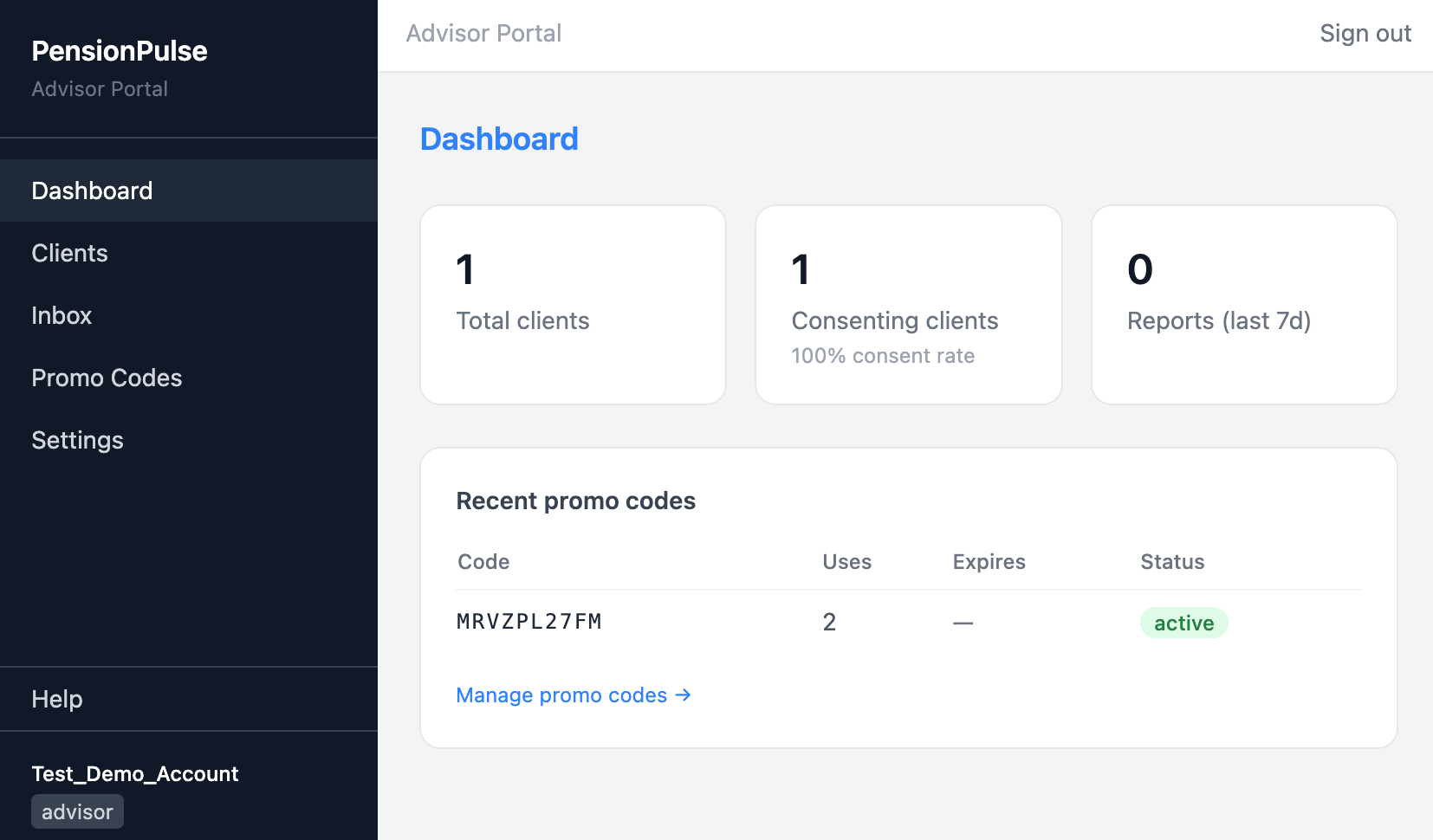
The steps above install the client app. Advisors work in a separate web portal — manage clients, track consent, generate reports, and issue promo codes. Access to the platform is granted on request.
Beta data may be reset before public launch.
During beta we may need to reset, restructure, or migrate stored data as the product evolves. We'll communicate clearly in advance, but please don't rely on beta data being preserved indefinitely. Your account and credentials will continue to work; the underlying records may not.
You can request deletion of your account and data at any time — see delete beta data.
Feedback shapes the roadmap.
Once you're in the beta, the fastest way to make it useful is to tell us what's confusing, broken, or missing. Send us a note — we read every message.